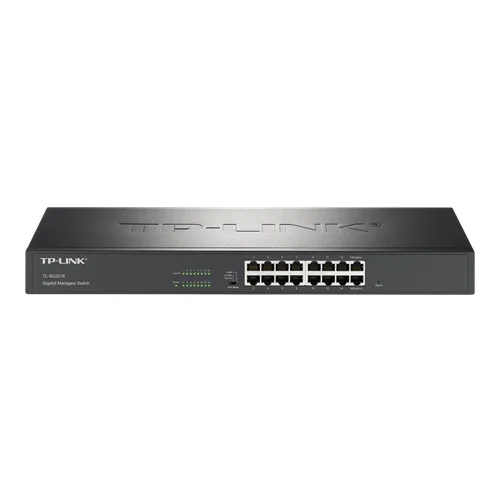
TP-Link TL-SG2016 16-Port Gigabit Cloud Managed Switch

USD 132.59

16-Port Gigabit cloud-managed switch with line-speed forwarding, 3-mode physical switch, L2 network management (VLAN, QoS), and silent fanless design.

SKU TP-Link-TL-SG2016 Category
Top Brands > TP Link > TP-Link Ethernet Switches

TP-Link TL-SG2016 16-Port Gigabit Cloud Managed Switch

Model Identifier TL-SG2016
Official Part Number TL-SG2016
GTIN Standard NA

Technical Overview

16-Port Gigabit cloud-managed switch with line-speed forwarding, 3-mode physical switch, L2 network management (VLAN, QoS), and silent fanless design.

Key Features

  • 16× 10/100/1000 Mbps RJ45 ports delivering high-speed gigabit wire-speed forwarding
  • Three-position physical slide switch supporting hardware-level selection of Cloud/Web Management, VLAN Isolation, and Standard Switch modes
  • Comprehensive remote monitoring and centralized cloud setup via the TP-LINK Commercial Cloud Platform and mobile app
  • Robust Layer 2 network management features including 802.1Q VLAN, MTU VLAN, and Port VLAN configurations
  • Advanced Quality of Service (QoS) based on Port, 802.1p CoS, and DSCP priority queuing
  • Enhanced network reliability with Loop Detection, Cable Diagnostics, Storm Control, and Link Aggregation (Trunking)
  • Fanless silent hardware design in a standard rack-mountable steel chassis

100–240 VAC, 50/60 Hz internal power supply

Technical Specification Matrix

ParameterValue
Interface16× 10/100/1000 Mbps RJ45 Ports
Switching Capacity32 Gbps
Packet Forwarding Rate23.8 Mpps
MAC Address Table8K
Hardware Switch ModesCloud Management/Web, VLAN Isolation, Standard Switching
Power Supply100–240 VAC, 50/60 Hz
Cooling SystemFanless (Passive Cooling)
Operating Temperature0°C to 40°C
Storage Temperature-40°C to 70°C
Operating Humidity10% to 90% RH non-condensing
Physical Weight (kg)0
Dimensions L x W x H (cm)44 x 18 x 4.4

Industrial Applications

1. Campus and Hotel Network Distribution Access

Deploying the switch at the network access layer of hotels, dormitories, or multi-tenant properties to supply fast local uplinks while protecting tenant privacy.

Problem Solved

Eliminates cross-room snooping and localized broadcast storms by utilizing the physical slide switch's VLAN Isolation mode, which logically isolates ports 1-14 from one another while restricting their communication strictly to uplink ports 15 and 16.

VLAN IsolationPort Isolation802.1Q VLANBroadcast Storm Control

2. Enterprise Security Camera Network Aggregation

Aggregating multi-channel IP-based surveillance video feeds and streaming them to a central Network Video Recorder (NVR) over a non-blocking gigabit infrastructure.

Problem Solved

Eradicates packet drops and frame latency issues during periods of high network load by utilizing port-based, 802.1p, and DSCP-based QoS policies to prioritize high-bandwidth video traffic over generic office data traffic.

QoS PrioritizationDSCP802.1p CoSPort Mirroring

3. Remote Branch Office Unified Network Management

Providing local network backbones for retail stores, satellite clinics, or branches without dedicated on-site IT technicians.

Problem Solved

Reduces operational downtime and the need for expensive physical call-outs through central cloud integration. Off-site IT teams can perform zero-touch deployment, check cable health, and monitor port diagnostics through the Commercial Cloud platform.

Cloud Managed SwitchRemote DiagnosticsCable DetectionZero-Touch Provisioning

Select your currency